

Wearable Health Tracker Checklist: Your 2026 Guide
The WATCH checklist: your core framework for evaluating wearables
The most reliable framework for selecting a wearable health tracker is the WATCH system, a 12-point checklist developed by health researchers specifically for evaluating wearable activity trackers in healthcare and personal use contexts. It cuts through the marketing noise and gives you a structured way to assess any device before you commit. Whether you’re a clinician deploying trackers for a patient population or someone trying to figure out which wrist gadget will actually stick, this framework applies.
Here’s the WATCH checklist at a glance:
- Continuous monitoring capability — Can the device track health metrics around the clock without interruption?
- Device availability — Is the model current, commercially available, and not discontinued?
- Invasiveness — Does the device interfere minimally with daily activities and feel comfortable to wear?
- Technical performance — Has the device been validated for measurement accuracy and precision?
- Clinical and regulatory validation — Does it meet standards set by bodies like the FDA or ISO?
- Feasibility of use — Is it practical for the intended population, including comfort, ease of use, and battery life?
- Cost evaluation — What is the total cost, including device price, platform fees, and subscriptions?
- Compatibility — Does it sync reliably with iOS, Android, or relevant health platforms?
- Data privacy and security — How is personal health data stored, shared, and protected?
- User interface — Is the app and device interface intuitive enough for consistent daily use?
- Health metrics tracked — Does it measure the specific metrics you need, such as heart rate, sleep, or activity?
- Sensor technology — What type of sensors does it use, and how do they perform across different activities?
This checklist applies equally to a consumer buying their first fitness band and a researcher selecting devices for a community health study. The criteria don’t change. What changes is how much weight you give each item based on your specific goals.
What each WATCH checklist item actually means for your decision
Understanding the criteria is one thing. Knowing why each one matters in practice is what separates a good purchase from a frustrating one. Here’s a plain-language breakdown of every item.
Continuous monitoring capability
A tracker that only logs data when you manually start a session misses most of the picture. Continuous monitoring means the device passively captures heart rate, movement, sleep stages, and other metrics throughout the day and night without you doing anything. For healthcare applications, continuous monitoring should extend for at least seven days with minimal invasiveness and interference with daily activities. For personal fitness use, it means your resting heart rate trends, sleep quality, and recovery scores are always current.

Device availability and model currency
Buying a discontinued model is a real trap. Manufacturers stop pushing firmware updates to older devices, which means security patches and new features stop coming. Check that the model you’re evaluating is actively sold and supported. Discontinued devices also tend to lose app support within a year or two, which kills long-term data continuity.
Invasiveness and daily life interference
A tracker you take off because it’s uncomfortable produces zero data. Invasiveness covers more than physical discomfort. It includes whether the device disrupts sleep, snags on clothing, or creates social friction. A bulky device might be fine for a gym session but impractical for someone who works with their hands all day. The best health monitoring device is the one that disappears into your routine.
Technical performance: accuracy and precision
This is where most consumer-grade trackers get murky. Clinical validation standards such as FDA clearance, ISO standards, and measurement frameworks like COSMIN and V3 provide the clearest signal of whether a device’s sensors are actually reliable. Devices validated by these standards offer higher confidence for healthcare applications. For personal use, look for independent accuracy reviews rather than relying on manufacturer specs alone.
Clinical and regulatory validation
FDA clearance or CE marking doesn’t guarantee a device is accurate for every metric it claims to measure, but it does mean the manufacturer submitted data to support those claims. For heart rhythm detection, blood oxygen monitoring, or any metric you’d act on medically, regulatory validation is the floor, not the ceiling.
Feasibility of use
Feasibility covers the practical reality of wearing a device consistently over weeks and months. Key sub-criteria include:
- Comfort across body types and skin tones — optical sensors can behave differently depending on skin tone and wrist circumference
- Population validation — has the device been tested in people similar to you in age, activity level, or health status?
- Battery life under real conditions — more on this below, but manufacturer claims rarely reflect actual use
- Ease of setup and daily interaction — a device that requires a 10-step sync process every morning won’t last
Pro Tip: Before committing to a device, wear a demo unit or borrow one for a week. Comfort preferences are deeply personal, and no spec sheet tells you whether a band will irritate your wrist after eight hours.
Cost evaluation
The sticker price is only part of the story. Cost evaluation includes one-time device price and ongoing charges for platforms or data storage. Some trackers lock core features behind monthly subscriptions. Others charge for cloud storage or advanced analytics. Add those up over two years and a “cheap” tracker can end up costing more than a premium one. Lower cost is ideal, but it must be balanced against management system fees, usage subscriptions, and device capabilities for health data accuracy.
Compatibility with smartphones and health platforms
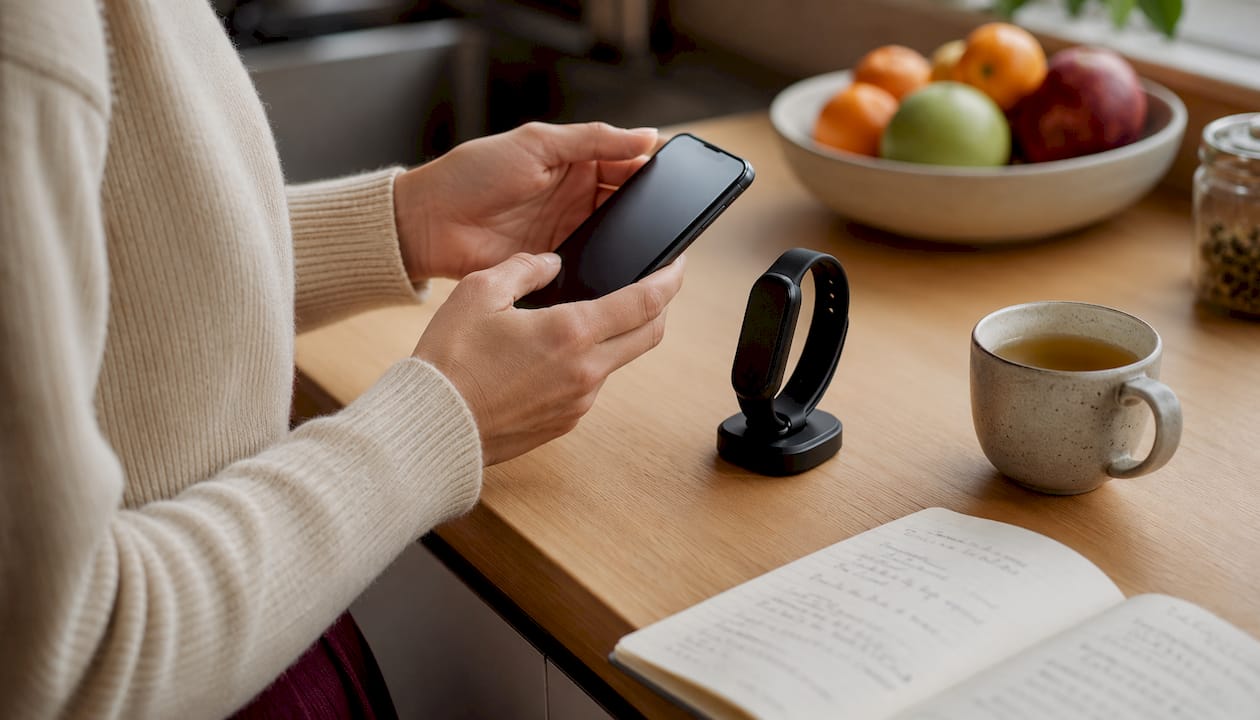
Device compatibility with smartphone ecosystems is a frequent pitfall. Apple watchOS devices work only with iPhones, while many Android smartwatches have limited cross-platform support. Matching your wearable brand to your smartphone brand produces more reliable data syncing and less frustration. Beyond phone compatibility, check whether the device integrates with Apple Health, Google Fit, or any electronic health record system your care team uses.
Data privacy and security
Your health data is sensitive. Before buying, read the privacy policy and understand where your data is stored, who can access it, and whether it’s sold to third parties. Look for end-to-end encryption, clear data deletion options, and compliance with HIPAA if you’re in a clinical setting. This is an area where budget devices often cut corners in ways that aren’t obvious until after purchase.
User interface and ease of use
A confusing app kills adherence. The device interface and companion app should present data in a way that’s immediately understandable without a manual. Poor UI is one of the most common reasons people abandon trackers within the first month. Test the app before you buy if possible. Check app store reviews specifically for complaints about syncing issues, data loss, or confusing navigation.
Health metrics tracked
Different devices prioritize different metrics. Common options include:
- Heart rate (resting, active, and heart rate variability)
- Sleep tracking (total sleep, sleep stages, and sleep quality scores)
- Activity and step counting
- Blood oxygen saturation (SpO2)
- Stress and recovery scores
- Menstrual cycle tracking
- ECG or irregular rhythm notifications
Define which metrics matter for your specific goals before evaluating devices. A tracker loaded with features you’ll never use adds cost and complexity without benefit.
Sensor technology
Most consumer wearables use photoplethysmography (PPG), which is the optical sensor that shines light through your skin to detect blood flow. PPG works well for resting heart rate and sleep tracking but has known limitations during intense exercise. For activity tracking, accelerometers and gyroscopes handle step counting and movement detection. GPS, either built-in or connected via phone, handles route and pace data for outdoor workouts. Understanding what sensors a device uses tells you a lot about where it will perform well and where it won’t.
How to implement and evaluate your wearable tracker effectively
Buying the right device is step one. Getting real value from it requires a deliberate setup and evaluation process. Here’s how to do it right.
Start with your health goals. Defining specific, measurable health goals first is the single most important step in aligning device features to your actual needs. “Get healthier” is not a goal. “Reduce resting heart rate by 10 bpm over 90 days” is. Your goal determines which metrics matter, which in turn determines which device belongs on your wrist. You can use a whole body wellness checklist to map your health priorities before you shop.
Match features to your primary activity. Device performance varies significantly between activities, so matching your tracker to your primary fitness goal and activity type leads to better data and user satisfaction. A runner needs reliable GPS and pace tracking. Someone focused on sleep and recovery needs accurate sleep staging and HRV monitoring. A person managing a chronic condition may prioritize continuous heart rate and SpO2 over step counts.
Set up the device correctly from day one. Poor setup is a common source of bad data. Follow these steps:
- Wear the band snugly, about two finger-widths above your wrist bone, for optical sensor accuracy
- Complete the full onboarding in the companion app, including height, weight, age, and activity level
- Sync the device to your phone and verify that data is flowing to any connected health platform
- Enable automatic firmware updates to keep sensors and algorithms current
- Set your sleep and wake schedule in the app so sleep tracking is calibrated to your actual routine
Evaluate battery performance under your real usage. Battery life claims are often overstated. A device may claim two-week battery life but may last less than 24 hours with continuous GPS and sensor use. Check the manufacturer’s fine print for sensor-on runtime. Then test the device under your actual conditions for two full weeks before drawing conclusions. If you run with GPS daily, your real battery life will look very different from the spec sheet.
Validate sensor output against a known reference. For heart rate, compare your tracker’s readings against a chest strap or a clinical pulse oximeter during a moderate workout. For step counting, manually count steps over a short walk and compare. This takes 15 minutes and tells you immediately whether the device is in the right ballpark.
Review your data weekly, not just daily. Daily fluctuations in heart rate, sleep, and activity are normal and often meaningless. Weekly trends reveal patterns worth acting on. Most companion apps offer weekly summaries. Use them.
Keep software updated and revisit privacy settings. App updates often include sensor algorithm improvements that change how data is calculated. An update in month three might make your sleep data more accurate than it was at launch. Privacy settings can also reset after updates, so check them each time you update the app.
Pro Tip: Before purchasing, download the companion app and explore it without a device connected. If the app feels confusing or cluttered in demo mode, it won’t get better once you’re using it daily. Also confirm that the app allows data export in a standard format like CSV or integration with Apple Health or Google Fit. Locked-in data is a real problem if you switch devices later.
What experts get right about wearables that most buyers miss
The fitness tracker market is full of impressive spec sheets and marketing claims that don’t survive contact with real-world use. Here’s what the evidence and experienced users consistently point to.
Wearability beats sensor count every time. Experts consistently emphasize choosing trackers that you will wear consistently and understand rather than accumulating many sensors that add complexity and discomfort. A device with six sensors that you take off after two weeks produces nothing useful. A simpler device you wear every day for a year produces a dataset you can actually act on. Comfort, aesthetics, and ease of use are not secondary concerns. They are primary.
Optical heart rate sensors have real limits during hard workouts. Optical heart rate sensors lose accuracy during high-intensity exercise or when the band fit is poor. For clinical or athletic performance use, pairing with a chest strap ECG sensor is recommended. Chest straps measure electrical heart signals directly and maintain ±1–3 bpm accuracy across activities. If you’re training at threshold intensity or monitoring heart rate for a medical reason, a wrist-based PPG sensor alone is not sufficient.
Skin tone and fit affect optical sensor accuracy. Optical sensors can behave differently depending on skin tone, wrist circumference, and how tightly the band sits. This is a known limitation of PPG technology and one that manufacturers are still working to address. If you have darker skin or a very narrow or wide wrist, test the device’s heart rate accuracy specifically before relying on it.
Battery life realities versus manufacturer claims:
- Manufacturer claims typically reflect minimal sensor use, often with GPS and always-on display turned off
- Continuous GPS use can reduce a claimed two-week battery to under 24 hours
- Always-on display modes cut battery life by roughly half in most devices
- High-frequency heart rate monitoring, SpO2 overnight tracking, and cellular connectivity all draw significant power
- Check the fine print for “GPS mode” and “all sensors on” runtimes, not just the headline figure
Ecosystem lock-in is a long-term cost most buyers underestimate. Apps and device ecosystems impact the long-term utility of wearables. Non-integrated apps or subscription-based models reduce usability and data accessibility. If you switch from an iPhone to an Android phone two years from now, some wearables will stop working entirely. Verify that wearable apps integrate with popular health platforms and allow easy data export before purchase. Your health data has long-term value. Don’t let it get trapped in a proprietary system.
Subscription models deserve scrutiny. Some trackers offer a compelling hardware price but lock meaningful features behind a monthly fee. Before buying, calculate the two-year total cost including any subscription. A device with a modest monthly fee can cost more than a premium tracker with no subscription over that period.
Match the tracker to your phone before anything else. Matching your wearable brand to your smartphone brand produces more reliable data syncing and less user frustration. This is one of the most practical fitness tracker buying tips that gets overlooked. Cross-platform compatibility is improving but still inconsistent. The safest path is same-ecosystem pairing.
For healthcare or clinical use, independent validation matters more than brand recognition. A well-known brand name does not equal clinical accuracy. Look for peer-reviewed validation studies, FDA clearance for specific metrics, and independent accuracy reviews from sources like published research or physician-reviewed guides. The GLPCare band, for example, is a purpose-built health monitoring device worth evaluating if you’re looking at wearables specifically for health condition management.
Pro Tip: Be skeptical of any tracker that claims to measure blood glucose, blood pressure, or other metrics non-invasively without FDA clearance for that specific function. These claims are common in marketing materials and almost universally unsupported by clinical evidence as of 2026. Stick to metrics the device has been independently validated to measure.
Cp-1 and wearable tracking: a natural fit for serious health optimization
Wearable trackers give you data. What you do with that data is where real health progress happens.

If your tracker is showing you elevated resting heart rate, poor sleep quality, or sluggish recovery scores, those aren’t just numbers. They’re signals that your body’s energy systems need support. That’s exactly the gap Cp-1 was built to address. Cp-1 is a premium wellness supplement formulated around NMN (Nicotinamide Mononucleotide), lion’s mane mushroom extract, reishi mushroom extract, turkey tail mushroom extract, and coenzyme Q10. These aren’t ingredients chosen for a marketing deck. They’re chosen because they support NAD+ production, mitochondrial energy, cognitive function, and immune resilience at the cellular level.
Every batch is third-party tested, non-GMO certified, vegan, and manufactured in the United States. No fillers, no proprietary blends hiding underdosed ingredients. When your wearable data tells you something is off, Cp-1 gives you a science-backed tool to support the systems your tracker is measuring. Pair your longevity health strategy with a supplement that actually earns its place in your routine. Learn more at cp-1.com.
Key Takeaways
A wearable health tracker checklist built around the WATCH framework gives you a structured, evidence-based way to evaluate any device for personal fitness or clinical use before you buy.
| Point | Details |
|---|---|
| Use the WATCH framework | This 12-point checklist covers continuous monitoring, accuracy, cost, compatibility, and privacy for any wearable. |
| Wearability drives data quality | Devices that users find uncomfortable or complicated produce less reliable health data due to inconsistent use. |
| Battery life claims are overstated | A device claiming two-week battery life may last less than 24 hours with continuous GPS and all sensors active. |
| Match ecosystem to your phone | Apple watchOS works only with iPhones; cross-platform support for Android smartwatches remains inconsistent. |
| Cp-1 supports what your tracker measures | Cp-1’s NMN, mushroom extracts, and CoQ10 support the energy, recovery, and cognitive systems your wearable monitors. |